
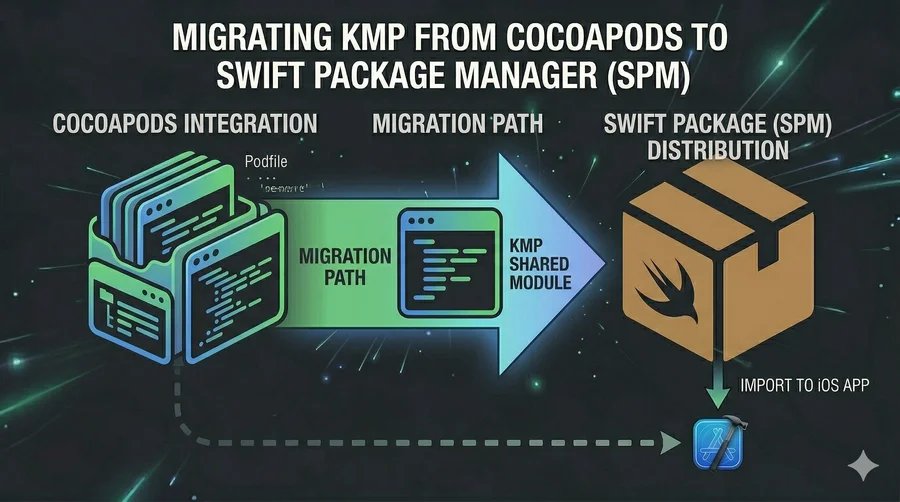
Migrating KMP from CocoaPods to Swift Package Manager
This post is based on the official Kotlin documentation: Switching from CocoaPods to Swift Package Manager dependencies
Full credit to the JetBrains and Kotlin team. JetBrains also provides an AI-assisted migration skill at kmp-cocoapods-to-spm-migration. I recommend reading the original docs for the most up-to-date details.
🧠 Introduction: Why Migrate?
CocoaPods has served the iOS ecosystem well, but the trend is clear: Apple is investing in Swift Package Manager as the native dependency management solution, and the broader iOS community is following. For KMP projects, this means the cocoapods {} Gradle block is becoming a legacy integration path.
The practical costs of staying on CocoaPods:
- Ruby toolchain dependency (
gem install cocoapods) — an extra setup step for every iOS developer on your team pod installmust be run after every Gradle sync — an extra step that’s easy to forget- Podfile and
Pods/directory add noise to the repository - CocoaPods is seeing slower development velocity while SPM gets native Xcode support improvements with each Apple release
The SwiftPM integration path for KMP is now mature enough that the migration is well-defined and reversible. This guide walks through it step by step.
🗺️ Migration Overview
The migration has three phases, and critically, each phase can be validated before proceeding:
- Update the build script — add SwiftPM dependencies alongside CocoaPods (coexistence is intentional here)
- Reconfigure Xcode — switch from CocoaPods integration to direct integration
- Remove CocoaPods — clean up the Podfile, Gradle config, and generated files
⚠️ Do not skip step 2 before doing step 3. CocoaPods and direct integration are mutually exclusive in Xcode. Remove CocoaPods only after the Xcode reconfiguration is complete.
📝 Step 1: Update the Build Script
Requirement: Kotlin Multiplatform Gradle plugin version 2.3.20-titan-222 or later.
Add SwiftPM alongside CocoaPods
Do not remove the cocoapods {} block yet. Add the swiftPMDependencies block alongside it:
// projectDir/sharedLogic/build.gradle.kts
kotlin {
    swiftPMDependencies {
        swiftPackage(
            url = url("https://github.com/firebase/firebase-ios-sdk.git"),
            version = from("12.5.0"),
            products = listOf(product("FirebaseAnalytics")),
        )
    }

    cocoapods {
        pod("FirebaseAnalytics") {
            version = "12.5.0"
        }
    }
}
This temporarily duplicates the dependency. The coexistence is intentional — it lets you update import statements and verify compilation before touching Xcode.
Update import statements
// Before
import cocoapods.FirebaseAnalytics.FIRAnalytics

// After
import swiftPMImport.org.example.package.FIRAnalytics
The new namespace follows the pattern swiftPMImport.<gradle-group>.<module-name>. Adjust org.example.package to match your module’s group setting in build.gradle.kts.
Migrate the framework configuration
CocoaPods configured the framework inside the cocoapods {} block. Move it to the standard binaries.framework {} DSL:
Before:
kotlin {
    iosArm64()
    iosSimulatorArm64()
    iosX64()
    cocoapods {
        framework {
            baseName = "Shared"
            isStatic = true
        }
    }
}
After:
kotlin {
    listOf(
        iosArm64(),
        iosSimulatorArm64(),
        iosX64(),
    ).forEach { iosTarget ->
        iosTarget.binaries.framework {
            baseName = "Shared"
            isStatic = true
        }
    }
}
Compile and run your Kotlin tests at this point to verify the import changes are correct before touching Xcode.
🔨 Step 2: Reconfigure Xcode
This step switches the iOS project from the CocoaPods Gradle plugin integration to direct integration, which is required for SwiftPM to work.
1. Open the project in Xcode
File | Open Project in Xcode
2. Trigger a build (it will fail — that’s expected)
Product | Build
The build will fail with an error. This is intentional: the error output contains the integration command you need.
3. Find the command in the build report
Go to View | Navigators | Report, filter to Errors Only, and look for a command that looks like:
XCODEPROJ_PATH='/path/to/project/iosApp/iosApp.xcodeproj' \
GRADLE_PROJECT_PATH=':sharedLogic' \
'/path/to/project/gradlew' -p '/path/to/project' \
':sharedLogic:integrateEmbedAndSign' \
':sharedLogic:integrateLinkagePackage'
4. Execute that command
Run it from the iosApp directory. This command modifies your .xcodeproj file to:
- Trigger
embedAndSignAppleFrameworkForXcodeduring Xcode builds - Insert the Kotlin Multiplatform compilation phase into the iOS build pipeline
5. Resolve SwiftPM dependencies in IntelliJ IDEA
Tools | Swift Package Manager | Resolve Dependencies
Build the project in Xcode again — it should now succeed.
🧹 Step 3: Remove CocoaPods
Once the Xcode build passes with direct integration, CocoaPods can be removed.
Option A: Full deintegration (all dependencies migrated)
From the iosApp directory:
pod deintegrate
This removes CocoaPods-generated files from the Xcode project. Then delete the Pods/ directory and Podfile.lock.
Option B: Partial removal (some CocoaPods remain)
If you still have non-KMP pods, edit the Podfile to remove only the KMP module entry:
target 'iosApp' do
  # Remove this line — sharedLogic is your KMP module name
  # pod 'sharedLogic', :path => '../sharedLogic'

  # Keep other pods here
  pod 'SomeOtherPod'
end
Then run:
pod install
Clean up build.gradle.kts
Remove the cocoapods {} block entirely:
// DELETE THIS ENTIRE BLOCK
cocoapods {
    // ...
}
If CocoaPods is no longer used anywhere in the project, also remove the plugin references from the plugins {} blocks in both the root and shared module build.gradle.kts files.
⚠️ Gotchas and Tips
- API compatibility — Verify that the Swift package version you’re migrating to exposes the same APIs as the pod version. They usually match, but Firebase and similar large SDKs occasionally restructure their module layout between release channels.
- Namespace change — The import namespace changes from
cocoapods.*toswiftPMImport.*. Do a global search-and-replace across youriosMainsource files before building. - Order matters — Complete the Xcode reconfiguration (Step 2) before removing CocoaPods (Step 3). The two integration mechanisms are incompatible; running
pod deintegratebefore setting up direct integration leaves Xcode in a broken state. - Static linkage — If you encounter
undefined symbolsorduplicate classerrors after migration, check thatisStatic = trueis set in your framework configuration. Dynamic frameworks have known issues with Swift package transitive dependencies. - The migration is reversible — If you need to roll back, re-add the
cocoapods {}block and runpod install. The CocoaPods integration state is fully reconstructible from the Podfile and Kotlin configuration.
💡 Key Takeaways
- Migrating from CocoaPods to SPM in KMP is a three-phase process: update Gradle → reconfigure Xcode → remove CocoaPods. Each phase is independently verifiable.
- Coexistence during migration is intentional — both
swiftPMDependenciesandcocoapods {}can live in the samebuild.gradle.ktstemporarily. - The Xcode reconfiguration step (getting the integration command from the failed build) is the trickiest part. Don’t skip it.
- The import namespace changes from
cocoapods.*toswiftPMImport.*— update all source files before removing CocoaPods. - The migration is worth it: less tooling, faster setup, native SPM resolution, and alignment with where Apple is taking the ecosystem.
📚 Further Reading
- Switching from CocoaPods to SwiftPM — Official Kotlin documentation
- AI-Assisted Migration Tool — JetBrains skill for automated migration
- Exporting KMP Modules as Swift Packages for iOS — Distribute your KMP module as a Swift package
- Importing Swift Packages into KMP — Use iOS SDKs directly from shared Kotlin code